Unary Operators in Java – Explained with Examples
Unary operators work on a single operand. They change a value's sign, add or subtract one, invert a boolean, or flip every bit. The increment (++) and decrement (--) operators are among the most used operators in Java, especially in loops, and the difference between their prefix and postfix forms is a favourite interview topic.
This tutorial covers every unary operator with examples, explains pre- and post-increment step by step, and shows the traps to avoid.
1. Java's Unary Operators
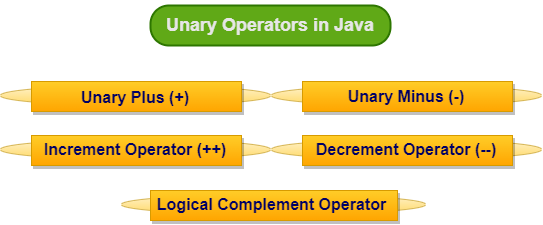
| Operator | Name | Example | Effect |
|---|---|---|---|
+ | Unary plus | +x | Returns the value (promotes small types to int) |
- | Unary minus | -x | Negates the value |
++ | Increment | ++x, x++ | Adds 1 to the variable |
-- | Decrement | --x, x-- | Subtracts 1 from the variable |
! | Logical NOT | !done | Inverts a boolean |
~ | Bitwise complement | ~x | Flips every bit; equals -x - 1 |
public class UnaryBasics {
    public static void main(String[] args) {
        int x = 10;
        System.out.println("+x  = " + (+x));      // unary plus: no change
        System.out.println("-x  = " + (-x));      // unary minus: negation

        int count = 5;
        count++;                                  // increment by 1
        System.out.println("count++ -> " + count);
        count--;                                  // decrement by 1
        System.out.println("count-- -> " + count);

        boolean loggedIn = false;
        System.out.println("!loggedIn = " + !loggedIn);   // logical NOT

        System.out.println("~10 = " + (~10));      // bitwise complement: -(10) - 1
    }
}+x = 10 -x = -10 count++ -> 6 count-- -> 5 !loggedIn = true ~10 = -11
2. Pre-Increment vs Post-Increment
Both forms add one to the variable. The difference is which value the expression returns:
- Prefix
++x: increment first, then return the new value. - Postfix
x++: return the old value, then increment.
The same applies to --x and x--. When the increment is a statement on its own (count++;), both forms behave identically.
public class PrePostIncrement {
    public static void main(String[] args) {
        int a = 5;
        int b = ++a;              // pre-increment: add first, then use
        System.out.println("b = ++a  -> a=" + a + ", b=" + b);

        int c = 5;
        int d = c++;              // post-increment: use first, then add
        System.out.println("d = c++  -> c=" + c + ", d=" + d);

        int i = 1;
        int result = i++ + ++i;   // 1 (i becomes 2) + 3 (i becomes 3)
        System.out.println("i++ + ++i = " + result + ", i=" + i);

        int x = 10;
        x = x++;                  // classic trap: x stays 10
        System.out.println("x = x++  -> x=" + x);

        int[] arr = {10, 20, 30};
        int idx = 0;
        System.out.println("arr[idx++] = " + arr[idx++] + ", idx now " + idx);
    }
}b = ++a -> a=6, b=6 d = c++ -> c=6, d=5 i++ + ++i = 4, i=3 x = x++ -> x=10 arr[idx++] = 10, idx now 1
Step by step: i++ + ++i
istarts at 1.i++returns 1 and setsito 2.++isetsito 3 and returns 3.- 1 + 3 = 4, and
iends at 3.
Why x = x++ leaves x unchanged
x++saves the old value 10 and incrementsxto 11.- The assignment then stores the saved value 10 back into
x.
Java evaluates operands strictly left to right, so these results are well defined (unlike in C, where they can be undefined). Still, avoid writing such code: use x++; or x += 1; on its own line.
3. Increment and Decrement on Other Types
++ and -- work on every numeric type and on char, and they include an implicit cast, just like +=:
public class IncrementTypes {
    public static void main(String[] args) {
        byte b = 127;
        b++;                       // ++ includes a cast: wraps to -128
        System.out.println("byte 127++ = " + b);

        char letter = 'x';
        letter++;
        System.out.println("'x'++ = " + letter);

        double price = 9.5;
        price++;
        System.out.println("9.5++ = " + price);

        // Loop counters are the most common use of ++ and --
        StringBuilder sb = new StringBuilder();
        for (int i = 3; i > 0; i--) sb.append(i).append(' ');
        System.out.println("countdown: " + sb + "go!");
    }
}byte 127++ = -128 'x'++ = y 9.5++ = 10.5 countdown: 3 2 1 go!
- Incrementing a
byteat 127 wraps silently to −128. - On a
char,++moves to the next Unicode character. - On a
double, it adds exactly 1.0. ++and--need a variable:5++or(a + b)++do not compile, andfinalvariables cannot be incremented.
4. Logical NOT (!)
! turns true into false and vice versa. It works only on booleans and is used to negate conditions: if (!list.isEmpty()), while (!found). Name boolean variables positively (isValid, not isNotValid) so that ! reads naturally.
5. Bitwise Complement (~)
~ flips every bit of an integer. Because Java stores negative numbers in two's complement, ~x always equals -x - 1, so ~10 is -11. It is used with masks, for example flags &= ~WRITE to clear a bit. See Bitwise Operators.
6. Unary Minus and Overflow
Negating the smallest int overflows: -Integer.MIN_VALUE is still Integer.MIN_VALUE, because +2,147,483,648 does not fit in an int. Math.negateExact() throws an exception instead, and Math.abs() has the same edge case.
7. Precedence
Postfix x++ and x-- have the highest precedence of all operators, followed by the prefix unary operators (++x, --x, +, -, !, ~ and casts), which group right to left. So -x++ means -(x++), and !a && b means (!a) && b.
8. Increment Is Not Atomic
count++ looks like one step but is really three: read, add one, write back. If two threads do it at the same time, updates can be lost. Use AtomicInteger.incrementAndGet(), LongAdder or synchronization for shared counters.
9. Summary
- Unary operators take one operand:
+,-,++,--,!and~. ++xreturns the new value;x++returns the old value. As standalone statements they are the same.++and--include an implicit cast and can overflow silently.!inverts booleans;~flips bits and equals-x - 1.- Avoid expressions like
x = x++, and use atomic classes for shared counters.
Related Tutorials
Frequently Asked Questions (FAQ)
Q1. What are unary operators in Java?
Operators that act on a single operand: unary plus +, unary minus -, increment ++, decrement --, logical NOT ! and bitwise complement ~.
Q2. What is the difference between ++i and i++?
Both add one to i. ++i returns the value after incrementing; i++ returns the value before incrementing. The difference matters only when the expression's value is used.
Q3. Which is faster, i++ or ++i?
For primitives in Java there is no difference; the JIT compiler produces the same code when the result is not used.
Q4. What is the output of int x = 5; int y = x++ + ++x;?
x++ gives 5 (x becomes 6), ++x gives 7 (x becomes 7), so y is 12 and x is 7.
Q5. Why does x = x++ not change x?
The old value is saved, x is incremented, and then the assignment overwrites x with the saved old value.
Q6. Can I use ++ on a constant or expression?
No. The operand must be a variable, array element or field. 5++, (a + b)++ and incrementing a final variable do not compile.
Q7. Does ++ work on char and double?
Yes. 'a'++ becomes 'b' (on a char variable), and 2.5++ becomes 3.5 (on a double variable).
Q8. Why does incrementing a byte at 127 give -128?
++ includes an implicit cast back to byte, and 128 does not fit, so the value wraps around to −128 without an error.
Q9. What does the ~ operator do?
It inverts every bit of an integer. In two's complement this means ~x == -x - 1, so ~0 is -1.
Q10. What is the difference between ! and ~?
! works on booleans and returns the opposite truth value. ~ works on integers and flips all their bits.
Q11. What does unary plus do?
It returns the operand's value unchanged, except that byte, short and char are promoted to int. It is rarely needed.
Q12. Is i++ thread-safe?
No. It is a read-modify-write sequence. Concurrent increments can be lost; use AtomicInteger, LongAdder or synchronization.
Q13. What is the precedence of unary operators?
Postfix x++/x-- have the highest precedence; prefix unary operators come next and are right-associative. Both bind tighter than any binary operator.
Q14. Is -Integer.MIN_VALUE positive?
No. The positive value does not fit in an int, so negation overflows and returns Integer.MIN_VALUE again. Use Math.negateExact() to detect it.
Q15. Does Java have a ** or !! operator?
No. Use Math.pow() for powers. !!b is valid but pointless, since it just returns b.
Q16. How is i-- used in loops?
To count down, for example for (int i = 10; i > 0; i--). Like ++, it changes the loop variable after each iteration.
Q17. What does arr[i++] do?
It reads the element at the current index and then moves the index forward by one, a common pattern when filling or reading arrays.
Q18. Can unary minus be applied to a variable of type char?
Yes, but the result is an int: -'A' is -65.
Q19. Is the behaviour of i++ + ++i defined in Java?
Yes. Java specifies left-to-right evaluation, so the result is always the same. In C and C++ the equivalent expression is undefined behaviour. Even so, such code is hard to read and should be avoided.
Q20. When should I use prefix instead of postfix?
Use prefix when you need the updated value in the same expression, postfix when you need the old value. When the result is not used, pick one style and be consistent; i++ is the common convention in loops.